Device Details
Overview
| Name | Version: | SlideArp 1.0 |
| Author: | carlosbtlr |
| Device Type: | MIDI Transformation |
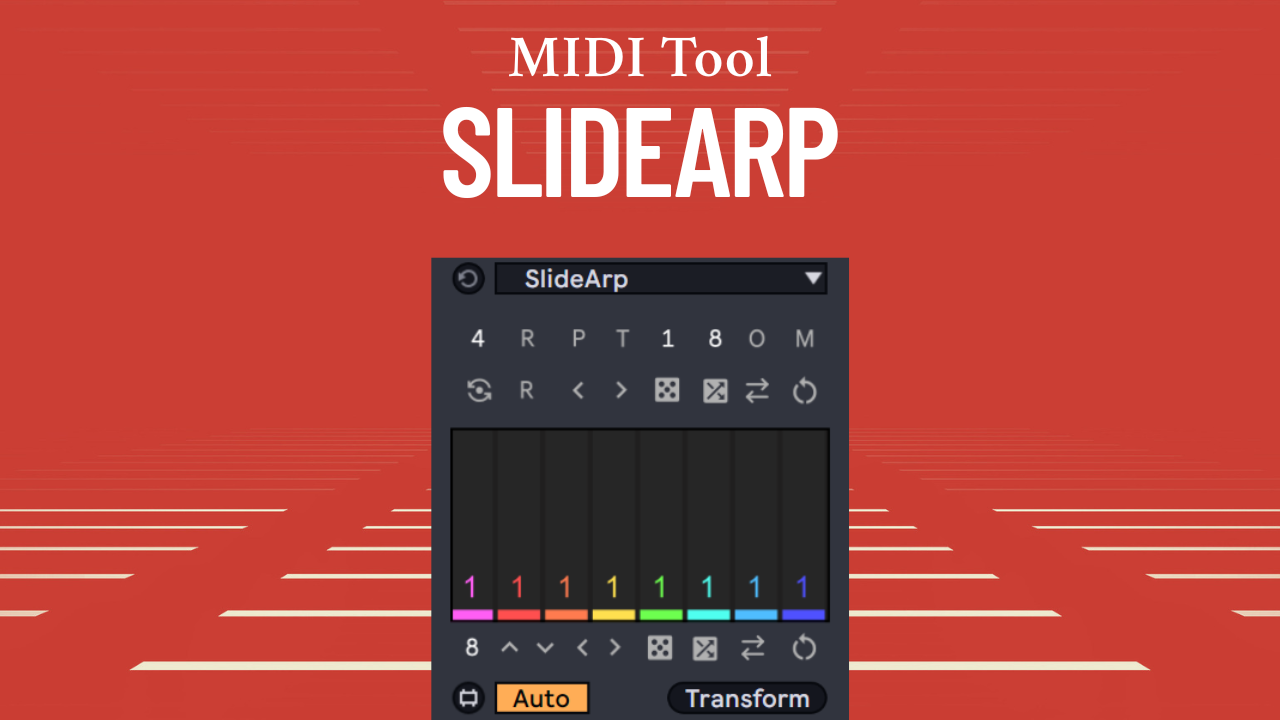
| Description: | SlideArp is a Max for Live MIDI transformation tool that allows you to generate intricate and complex arpeggios and melodies from your chord progressions. Its multi-slider UI lets you dial in the exact and precise rhythmic and melodic properties that you’re looking for, allowing you to take total control of your MIDI and create endless rhythmic and melodic variations from a simple set of chords. Step Sliders Make rhythmic and melodic variations from your selected MIDI chords with the UI step sliders. The step sliders can be switched on and off to define the rhythm of your arp in conjunction with Live's grid interval. They can also be dragged vertically and horizontally to produce complex arp sequences using broad, long scope gestures. The alt/option key can be used to turn sliders on and off, and the ctrl/cmd key can be used to transpose all the slider values up or down simultaneously. Arp Restart Force the arp sequence to restart on each chord, or let it run across your entire chord sequence. Use this to control the melodic patterning in your arp. Polyphonic Mode The default mode will output single notes on each step, whereas polyphonic mode will output chords on each step. The chords can be rotated with the slider values. Tie Mode This mode will merge consecutive steps with the same pitch into a single note. Use this for more melodic results. This mode can be used in conjunction with polyphonic mode as well. Custom Groups Dial in the number of consecutive notes of the same pitch that each slider will generate for each chord voice. Use this to create repetitive ostinato passages easily. Overlap Mode In this mode, same pitch notes will be extended to make the arp notes overlap. Use this for polyphonic textures or sustained piano arps. This mode can be used in conjunction with tie mode as well. Match Chord Voices This button will set the sliders range and the number of arp steps to the number of voices of a selected chord. Use this to adjust the arp settings to suit your chords. Gates Flip Flip the polarity of the gate switches, turning disabled gates on and enabled gates off. Use this to create a mirror variant of your arp’s rhythmic pattern. Restart Gates This mode will cause the gates sequence to restart on each chord, otherwise, the gates sequence will continue across the entire chord sequence. Use this to control the rhythmic patterning in your arp. Randomize Gates This control will randomize the gate value of each step. Use this to create endless rhythmic patterns in your arps. Scramble Gates This control will randomize the time position of each gate step value across the gates step sequence. Use this to create variations in your arp’s rhythm. Reverse Gates This control will reverse the order of the gate values. Use this to create reversed variants of your rhythmic patterns. Randomize Arp This control will randomize all the arp values within the set range. Use this to create endless melodic patterns in your arps. Scramble Arp This control will randomize the time position of each arp step value. Use this to create variations in your arp’s melodic contour. Reverse Arp This control will reverse the order of the arp step values. Use this to create reversed variants of your arp patterns. UI Controls Make even more variations with the number of sliders and gates, global shifting, and global rotation. Use these controls to try out new melodic and rhythmic variations. Minimum Requirements: - Ableton Live 12 - Max 9 |
Details
| Live Version Used: | 12 |
| Max Version Used: | 9 |
| Date Added: | May 14 2026 07:52:23 |
| Date Last Updated: | No Updates |
| Downloads: | 0 |
| Website: | https://ko-fi.com/s/3ee3e57cb2 |
| ⓘ License: | Commercial |
Average Rating
Log in to rate this device |
-n/a- |
Login to comment on this device.
Browse the full library